
Dash Cam & Vehicle Security Installation
Installing a dash cam or aftermarket security system: power options, wiring basics, insurance angles, and documenting the install for later.
What a dash cam or vehicle security install actually involves
A dash cam installation is a small job with a lot of small decisions: where the camera mounts, how it gets power, and whether that power stays on when the car's off. A vehicle security install, whether it's an aftermarket alarm, a GPS tracker, or a kill switch, adds a layer of wiring complexity on top of that, since these systems tap into the car's existing electrical system rather than just plugging into a cigarette lighter socket.
None of this requires a body shop, but it does require patience with wire routing and a plan for where every cable goes before you start pulling trim panels. Rushing the install is how you end up with a camera cable visibly draped across the dash instead of tucked behind the headliner where it belongs.
Dash cam types: single-channel, dual-channel, and parking mode
A single-channel dash cam records forward only, mounted behind the rearview mirror. A dual-channel adds a second lens for the rear window or cabin, useful for documenting a rear-end collision or, for rideshare drivers, what happens inside the car. Wikipedia's overview of dash cam technology covers the broader category if you're comparing feature sets before buying.
Parking mode, which keeps the camera recording (or motion-triggered) while the car is off, is the feature that decides how you power it. A camera running only while the engine's on can plug into a switched 12V socket. Parking mode needs either a hardwire kit tapping into always-on power, or a camera with its own battery or supercapacitor, since it has to keep running without draining your car battery flat.
Powering a dash cam: fuse tap vs. hardwire kit vs. OBD-II
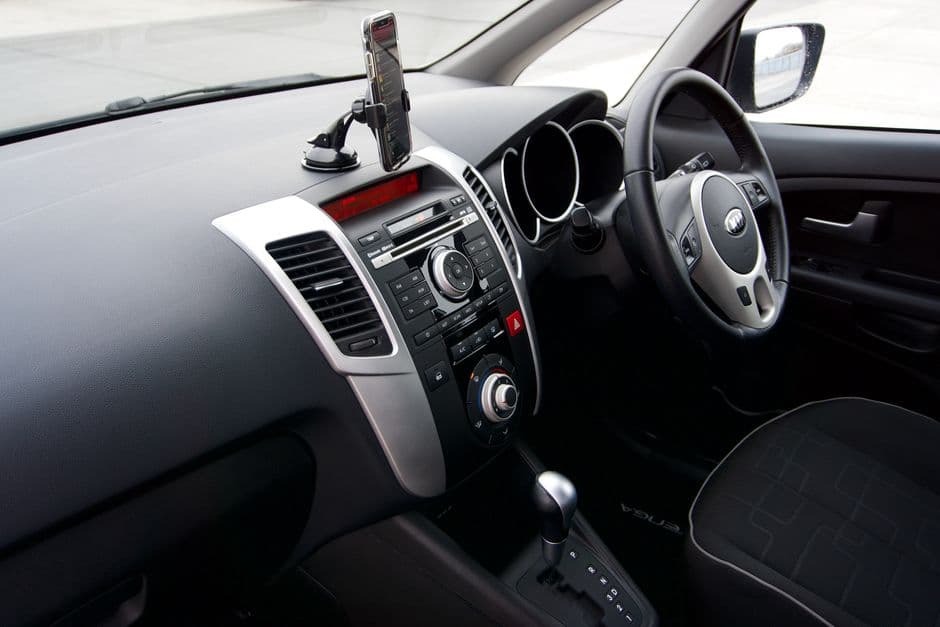
A fuse tap replaces one fuse in the box with a piggyback adapter, pulling power from that circuit. It's the cheapest and most reversible option, and most hardwire kits include the tap and a low-voltage cutoff module that stops drawing power once the battery hits a safe threshold, protecting you from a dead battery after a long parked weekend.
An OBD-II power adapter is even easier to reverse since it needs no fuse box access at all, plugging straight into the diagnostic port, though it leaves a visible cable running to the dash rather than tucked out of sight. Whichever method you use, route the cable behind the headliner and down the A-pillar trim, both of which usually pop off with light, even pressure and no tools if you're working carefully.
Aftermarket alarms, GPS trackers, and kill switches
An aftermarket alarm typically ties into the door, hood, and trunk switches already wired into the car, plus the siren and a shock sensor for glass breakage. A GPS tracker is usually a self-contained module wired to constant power and hidden somewhere the average thief won't think to look, useful for recovery after a theft rather than preventing one.
A kill switch interrupts a critical circuit, commonly the starter or fuel pump relay, so the engine won't start even with a valid key. It's one of the more effective deterrents precisely because it's invisible to a thief who's never seen your specific wiring, but it also means documenting exactly where you installed it so a future owner or mechanic isn't left confused by a car that mysteriously won't start.
Installation basics: routing wire without causing new problems
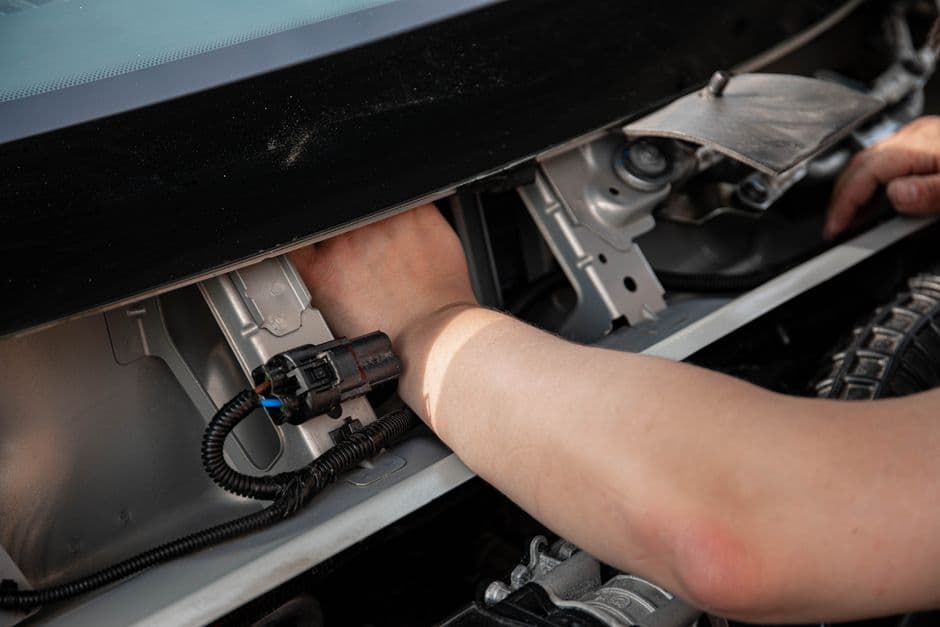
Keep every wire well clear of the steering column, airbag wiring (usually wrapped in bright yellow harness tape), and pedal linkage. The NHTSA treats airbags and restraint systems as safety-critical equipment for good reason, and any wiring project near the steering column or dash should route well around that harness rather than through it.
Use zip ties or adhesive clips to secure loose cable rather than letting it hang free near a pedal or the parking brake. Test every accessory with the panels still off before buttoning the car back up, since finding a loose connection after the trim's reinstalled means doing the same job twice.
Insurance and warranty considerations
Some insurers offer a small discount for a verified dash cam or alarm system, since recorded footage or a tracked recovery reduces their claim risk. Ask your provider directly what documentation they need, since requirements vary and a discount that exists on paper doesn't help if you can't prove the system is actually installed and working.
A poorly done wiring job, on the other hand, can complicate an electrical warranty claim if a dealer traces a later fault back to aftermarket wiring, even one unrelated to the actual problem. Careful routing and, ideally, professional installation on a car still under factory warranty protects you on both ends.
Documenting the install
Once it's in, write down what you installed, where the power taps into the fuse box, and any part numbers for the kit itself. This is the same discipline our guide to documenting car modifications covers for any mod, and it matters even more here, since a security system's value depends entirely on you, or the next owner, actually knowing it's there.
Wheelscribe's entry form attaches the install date, cost, and any photos of the wiring to the car's record, so the next time you're chasing an electrical gremlin, you know exactly what aftermarket wiring is already in there before you start troubleshooting. It's free to start with one car.
Frequently asked questions
Do I need a hardwire kit for a dash cam?
Only if you want parking mode, meaning the camera keeps recording or stays motion-triggered while the car is off. A camera that only runs while driving can plug into a switched 12V socket. Parking mode needs a hardwire kit with a low-voltage cutoff to avoid draining the battery.
Is installing a dash cam or car alarm myself safe?
Yes, as long as you route wiring well clear of the airbag harness, steering column, and pedal linkage. Most kits are designed for DIY installation with basic trim removal tools. If you're not comfortable with wiring, a professional install is worth the cost for peace of mind.
Does a dash cam actually lower my insurance rate?
Some insurers offer a discount for a verified dash cam or alarm system, but it varies by provider and isn't universal. Ask your insurer directly what documentation they require before assuming the discount applies to your policy.
What's the difference between a fuse tap and an OBD-II power adapter for a dash cam?
A fuse tap replaces one fuse with a piggyback adapter and usually comes with a hardwire kit for parking mode. An OBD-II adapter plugs into the diagnostic port with no fuse box access needed, but leaves a visible cable running to the dash rather than hidden behind trim.
Can an aftermarket security system void my car's warranty?
It's possible if a dealer traces a later electrical fault back to aftermarket wiring, even if unrelated to the actual problem. Careful, well-documented installation, or professional installation on a car still under factory warranty, protects you from that dispute.
What should I record after installing a dash cam or security system?
Note the installation date, what power source you tapped, any part numbers for the kit, and photos of the wiring itself. That record matters for insurance discounts, future troubleshooting, and letting a future owner know exactly what's been added to the car.
Start logging your car's history
One car, unlimited entries, free forever. See pricing for what Pro adds.
Create free account